
Autonomous Rover Navigation for Search & Rescue
This project was developed as an R&D effort for the Oregon State University Mars Rover Team to support the autonomous search phase of international rover competitions. I designed a modular ROS2 software stack that enables a simulated rover to autonomously navigate cluttered environments, avoid obstacles using LiDAR, and detect colored targets through computer vision. The project emphasized robust autonomous behavior, modular software architecture, and realistic simulation-based testing in Gazebo.
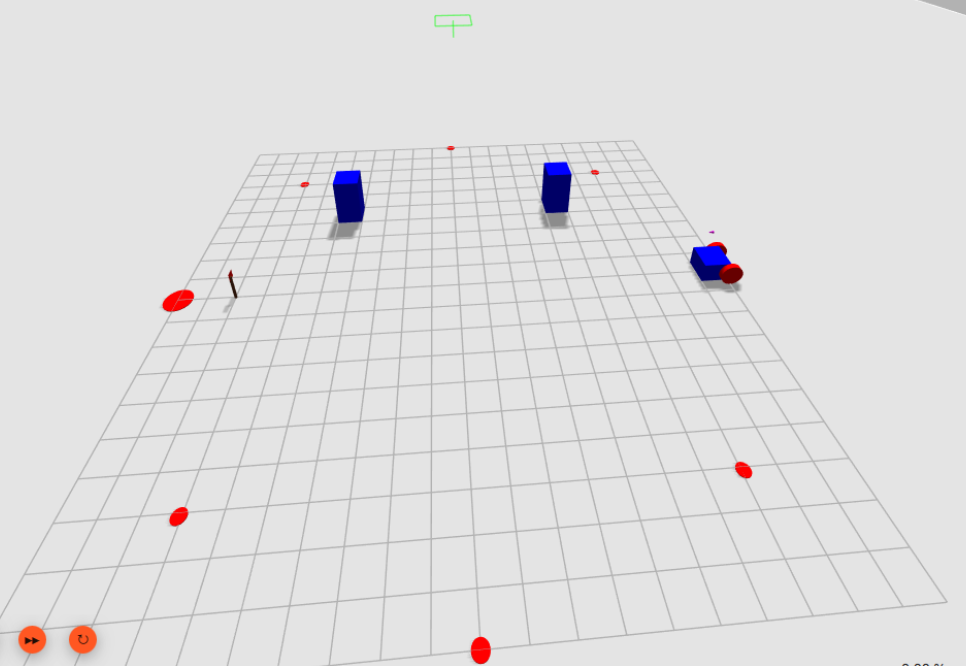
Highlights
- Designed a modular ROS2 architecture consisting of independent navigation, obstacle avoidance, and vision nodes
- Implemented a Bug-based obstacle avoidance algorithm using LiDAR and proportional wall-following control
- Developed an OpenCV vision pipeline for autonomous flag detection with temporal filtering to eliminate false positives
- Created a custom LiDAR simulation node after limitations were discovered in the native Gazebo sensor implementation
- Integrated waypoint navigation, obstacle avoidance, and vision into a complete autonomous search pipeline
Technical Stack
Software: ROS2 · Python · OpenCV · Gazebo
Algorithms: Bug Navigation · Proportional Control · Waypoint Navigation
Sensors: Simulated LiDAR · RGB Camera · Odometry
System Overview
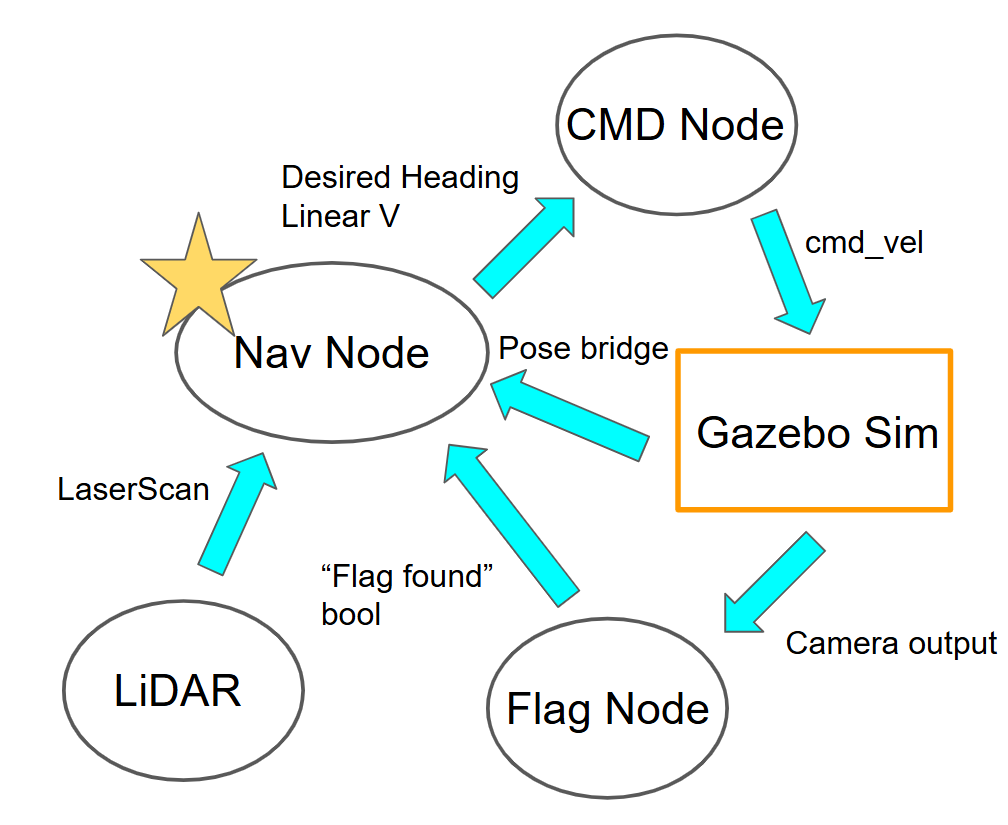
The system is organized into three primary ROS2 nodes:
- Navigation: Drives the rover through predefined waypoints using proportional heading control while monitoring obstacle and vision data.
- Obstacle Avoidance: Implements a Bug-style navigation algorithm that transitions into wall following when obstacles are detected and returns to the planned path once a clear route is available.
- Vision: Processes RGB camera images with OpenCV contour detection to identify red flags. A temporal confirmation filter requiring 4 of the previous 5 frames prevents false detections before signaling the navigation node.
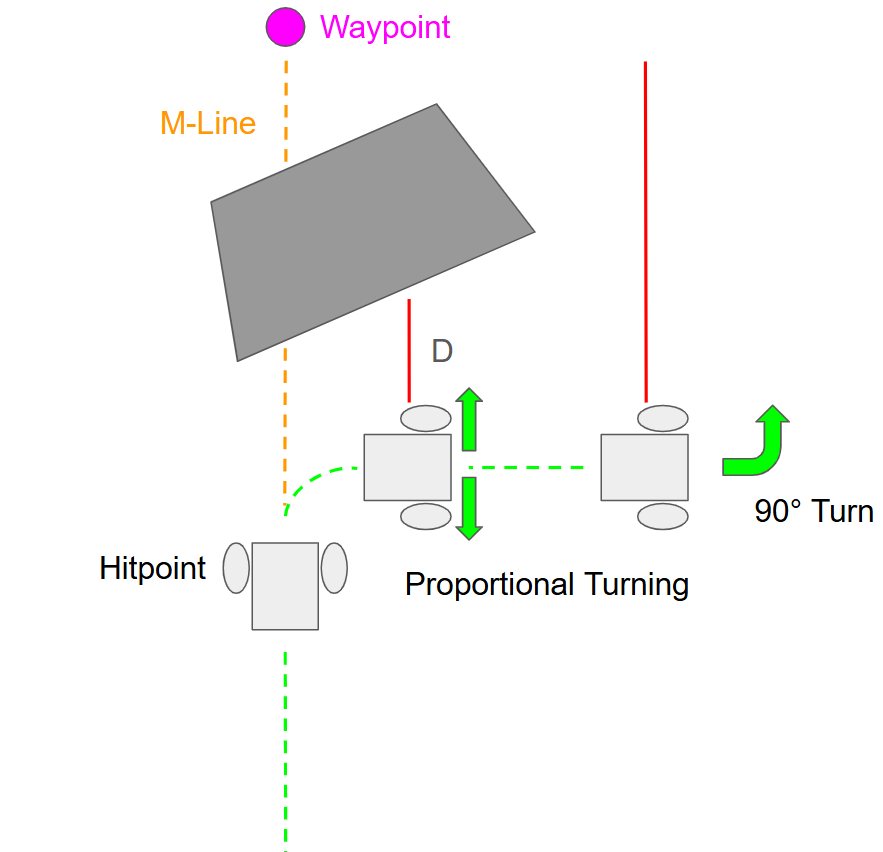 **Bug-Based Navigation** LiDAR-based obstacle avoidance with wall-following behavior. **Bug-Based Navigation** LiDAR-based obstacle avoidance with wall-following behavior. | 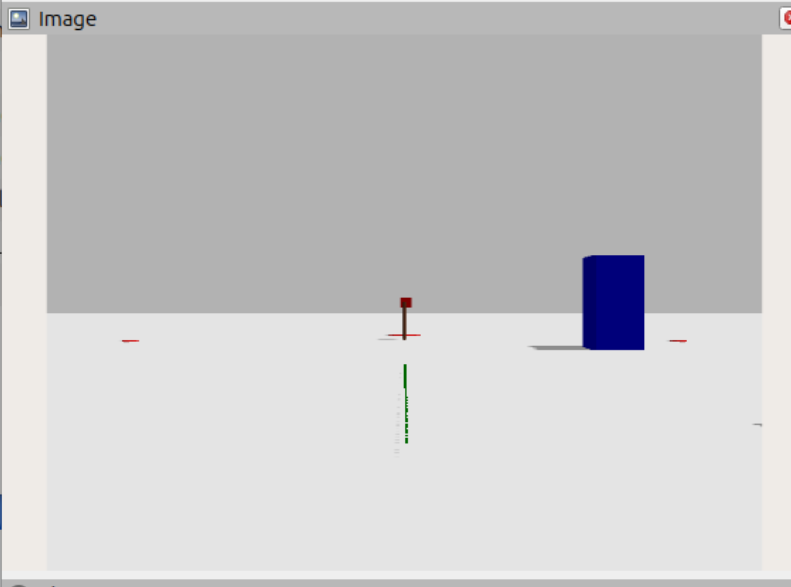 **Vision Detection** OpenCV contour detection with temporal confirmation. **Vision Detection** OpenCV contour detection with temporal confirmation. |
Results & Validation
The complete system was validated in Gazebo simulation through repeated autonomous navigation trials.
- Successfully navigated multi-waypoint search paths with proportional heading control
- Reliably avoided static obstacles using Bug-based navigation
- Achieved 100% flag detection accuracy during testing without observed false positives
- Verified communication between all ROS2 nodes using asynchronous topic-based messaging
Impact
This project demonstrates the integration of perception, planning, and control into a complete autonomous robotic system. Beyond implementing individual algorithms, the work focused on designing a modular ROS2 architecture capable of coordinating multiple sensing and decision-making components. The resulting framework provides a foundation for future development on physical rover hardware and more advanced autonomous search behaviors.
Code
Source code and documentation are available on GitHub:
https://github.com/ianspehar99/ROB599_Rover_Search_Project